> ## Documentation Index
> Fetch the complete documentation index at: https://docs2.travtus.com/llms.txt
> Use this file to discover all available pages before exploring further.
# Tracking Goals
## **Overview**
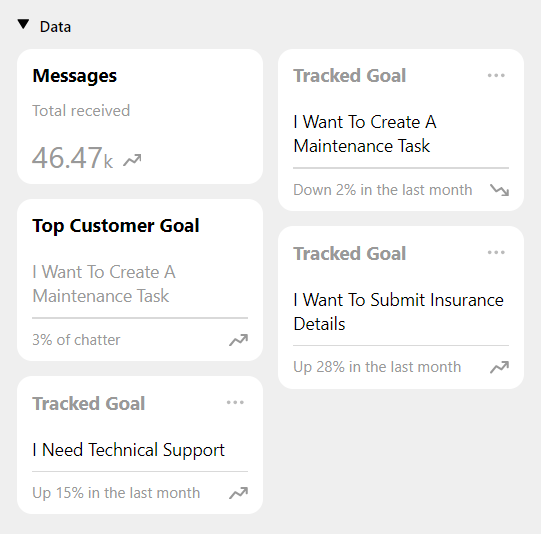
At the bottom of the **Insights** section (accessible via the top right menu), you will see any goals which you have "pinned" from elsewhere. If there is a trend you are interested in keeping an eye on, you can use the "pin" capability to make it show up here.
At a glance, you can see the title of the goal and its recent **trend over the time period you have selected** in the date filter (calendar icon top right, or the dropdown at the top of the screen which defaults to The Last Week).
Clicking on a tile will take you to a page where you can view **how the goal has trended over time**. Check out [this article](https://docs2.travtus.com/features/data/tracked-goal-overview) to learn more about this page.
 ## **How to pin items**
In various places around the Gateway, you will see a pin icon like this . Clicking it will cause it to change to and will cause it to appear in the **My Pins** section of the home page. If you no longer want to track the goal, you can click the pin again at any time to remove it from this area.
## **How to pin items**
In various places around the Gateway, you will see a pin icon like this . Clicking it will cause it to change to and will cause it to appear in the **My Pins** section of the home page. If you no longer want to track the goal, you can click the pin again at any time to remove it from this area.